



books

SPSS vs Excel: Key Differences Explained Clearly

29 April 2026
Views (5 views)
SPSS vs Excel: Key Differences Explained Clearly

What is the difference between SPSS and Excel?When a researcher reaches the data analysis stage in their scientific study, the question arises: what is the most suitable tool? Should I use SPSS or Excel? And is there actually a difference between them in terms of result quality or academic acceptance of the research?
In fact, both programs are used for data analysis, but each has a different nature, specific capabilities, and a level of accuracy that varies depending on the type of study.

In this comprehensive guide, we present the difference betweenSPSSand Excel in statistical analysis, clarify the advantages and disadvantages of each program, and help you make the best decision that aligns with the nature of your academic research.

✳️ Important note: Choosing the wrong tool may affect the acceptance of your study in defense or scientific publication, so continue reading to avoid this.


What Is SPSS?

SPSS (abbreviation for: Statistical Package for the Social Sciences) is a specialized program forstatistical analysiswidely used in academic and professional circles. It was developed by IBM and is considered one of the approved tools in most universities for analyzing quantitative data in master’s and doctoral theses.

Basic SPSS Advantages:

  • Easy-to-use graphical interface, no programming knowledge required.

  • Supports descriptive and inferential statistical analyses, such as T-Test, ANOVA, linear regression, frequency analysis, and correlation analysis.

  • Suitable for analyzing large survey data with multiple variables.

  • Produces reports and tables ready for publication in formats compatible with the APA academic guide.

  • Approved in most Saudi and Arab universities.

Common Uses:

  • Psychological, social, and educational research.

  • Analysis of experimental study results.

  • University theses in theoretical and administrative colleges.

✳️ Do you want to perform SPSS analysis accurately? The company “Study Ideas for Research and Development” offers you a professional analysis service with writing results in a scientifically approved manner.


What Is Excel?

Excel is a popular spreadsheet program from Microsoft, used in various fields for data management and calculations. Although it is not a specialized statistical program like SPSS, it contains basic statistical analysis tools that make it an initial choice for researchers.

Basic Excel Features in Statistical Analysis:

  1. Familiar and easy-to-learn interface.

  2. Supports simple statistical operations such as: averages, standard deviation, frequencies, simple correlation.

  3. Includes “Data Analysis Toolpak” for conducting tests like T-Test andANOVA.

  4. Suitable for quickly creating charts and illustrative summaries.

However, Excel is not the best option when it comes to complex or professional academic analysis, as it lacks:

  1. Multi-level tests or analysis of interacting variables.

  2. Scientifically approved documentation tools.

  3. Flexibility in managing complex or large data.

✳️ Important note: Excel can be an acceptable option for descriptive analysis in bachelor’s projects or simple business applications, but it is insufficient on its own for graduate research that requires rigorous methodology and strict documentation.


The Difference Between SPSS and Excel in Data Analysis

When comparing SPSS and Excel in statistical analysis, several important differences emerge that affect the researcher’s choice of the appropriate tool, especially in advanced academic studies. Here is a detailed comparison between the two:

  1. Statistical Functions:

  • SPSS: Excels at conducting complex and advanced tests (T-Test, ANOVA, multiple regression, factor analysis, chi-square test…).

  • Excel: Only supports basic analyses and some limited tests using the Data Analysis Toolpak.

  1. Analysis Accuracy and Reliability:

  • SPSS: Academically trusted and its results are accepted in peer-reviewed journals and universities.

  • Excel: Suitable as an auxiliary analysis tool, but its results are not accurate enough for complex master’s or doctoral research.

  1. Ease of Use:

  • Excel: More common and easier for beginners to learn.

  • SPSS: Requires basic statistical understanding, but is easy to use once accustomed to it.

  1. Documentation and Academic Writing:

  • SPSS: Produces tables and results in a format ready for scientific documentation (APA, MLA…).

  • Excel: Does not contain custom formats for academic documentation, and requires additional processing of results.

  1. Support for Variables:

  • SPSS: Manages variables efficiently, especially when they are numerous or contain missing data.

  • Excel: Becomes less effective with increasing size and complexity of variables.

Brief comparison:

المعيار SPSS Excel
مستوى التحليل متقدّم وأكاديمي أساسي وبسيط
سهولة الاستخدام متوسط عالي
التوثيق الأكاديمي مدعوم غير مدعوم
الاعتماد في الأبحاث معتمد جامعيًا محدود الاعتماد
التعامل مع بيانات كبيرة قوي محدود

Do you need to analyze your data using the most accurate tool? The “Study Ideas” team performsStatistical analysiscompletely using SPSS or Excel according to your study requirements, with explanation and interpretation of results.


When to Choose SPSS? When to Choose Excel?

Each tool has an ideal use scenario, and your choice depends on the nature of the data, research objectives, and requirements of the academic institution. Below are practical cases that illustrate when it is preferable to use each of SPSS and Excel:

Choose SPSS If:

  1. You are writing a master’s or doctoral thesis and your university requires the use of approved academic analysis tools.

  2. Your study relies on more than one variable and requires tests such as T-Test, ANOVA, regression analysis, or multiple correlation.

  3. You need to extract precise results in a format that supports scientific documentation (APA/MLA).

  4. You face missing data or want to perform complex tests that Excel does not support.

  5. You want to analyze large surveys or quantitative studies with an applied or experimental nature.

Choose Excel If:

  1. You are working on a simple project that does not require advanced tests (such as descriptive statistics or graphical representation).

  2. You need to quickly analyze small data or organize tables and create charts.

  3. You do not have an SPSS license and need an initial solution or free alternative.

  4. You want to prepare preliminary summaries or indicators before moving to full academic analysis.

Important note: Sometimes Excel can be used as a preliminary or complementary tool for SPSS, but it is not recommended to rely on it alone in scientific academic studies that require precise methodology.

Our experts at “Study Ideas” can help you choose the most suitable tool, perform the analysis on your behalf, and explain and format the results according to your university’s guidelines.


Pros and Cons of Each Program

To better understand the practical difference between SPSS and Excel, it is essential to consider the advantages and limitations of each program, especially from the perspective of the academic researcher.

🟢 First: Pros of SPSS

  • High statistical accuracy and academically reliable results.

  • Interface customized for quantitative analysis makes running tests smooth.

  • Wide support for multiple and complex tests (such as multiple ANOVA, factor analysis, logistic regression…).

  • Compatibility with APA guidelines for formatting scientific research results.

  • Excellent ability to handle missing data, duplicates, and variable verification.

🔴 Cons of SPSS

  • The software is paid and requires a license, which may be a barrier for students.

  • Requires initial knowledge of basic statistical concepts.

  • Less flexible than Excel for managing open tables or multiple formats.

🟢 Second: Pros of Excel

  • Free and available on most computers, especially as part of Microsoft Office.

  • Easy to learn for beginners and doesn’t require prior statistical experience.

  • Powerful in graphing, data filtering, and preparing quick reports.

  • Suitable for simple preliminary analyses or preliminary survey tables.

🔴 Cons of Excel

  • Not officially approved in most advanced academic studies.

  • Lacks advanced statistical tests and multivariate data analysis.

  • Does not export results in reliable academic formats.

  • Its results may be less accurate in inferential analyses compared to SPSS.

✳️ In summary: If you are a master’s or PhD researcher, SPSS is the optimal choice for most quantitative studies. However, if you are looking for a simple tool for preliminary analysis or a practical project, Excel may suffice.


Can a T-test Be Performed Using Excel?

Yes, you can run a T-Test in Excel using the Data Analysis Toolpak, which is a free add-in built into the program, but it requires manual activation. Although Excel is not specialized statistical software, it allows conducting some basic tests such as:

  1. Independent T-Test (comparing means of two independent groups)

  2. Paired T-Test (comparing two related groups)

  3. T-Test: Two-Sample Assuming Equal or Unequal Variance

However, before relying on Excel for T-Test in your research, consider the following points:

  1. Excel does not provide detailed explanations of results or p-values directly as in SPSS.

  2. It cannot be used in advanced analysis involving more than two groups or covariates.

  3. It does not support automatic APA documentation of results, placing the responsibility on you to reorganize tables and write interpretations manually.

  4. The error rate in execution is higher if you are not familiar with the details of the statistical test.

Summary: Excel can perform T-Tests for beginners or educational purposes, but if you are preparing academic research that requires high accuracy and acceptance from your supervisor or scientific journal, it is better to conduct the analysis using SPSS or a more professional tool.


The Difference Between SPSS and Excel in Master’s and Doctoral Research

When preparing a master’s or doctoral thesis, choosing the statistical analysis tool becomes critically important, not only technically but also in terms of academic acceptance and compatibility with the requirements of the supervisor or university guidelines. Here are fundamental differences between SPSS and Excel:

  1. Academic Acceptance:

  • SPSS is the most accepted and relied upon option in Saudi and Arab universities for quantitative data analysis.

  • Excel may be accepted in undergraduate research or simple applied projects, but it is rarely recommended in official university theses.

  1. Examination Committee and Supervisor Requirements:

  • Specialized tools like SPSS or R are often required to ensure reliability and accuracy in the analysis.

  • Some supervisors may reject analysis entirely based on Excel, especially if it is not supported by scientific documentation or precise inferential tests.

  1. Writing the Results and Interpretation Chapter:

  • SPSS outputs results in a format ready for direct documentation in the results chapter, displaying p-values, effect sizes, and T-Test or ANOVA results in a scientifically ready format.

  • Excel lacks this academic formatting, requiring additional effort to rewrite tables and manually analyze results.

  1. APA Style Compatibility:

  • SPSS easily integrates with academic documentation requirements such as APA and Harvard.

  • Excel does not directly support this, forcing researchers to format manually, which increases the likelihood of errors.

Note: If you are a master’s or doctoral student, using SPSS is not a choice but a necessity to ensure research acceptance and official approval.

Are you facing challenges in writing the results chapter or conducting the required analysis? In ‘Study Ideas’, we ensure comprehensive academic analysis using SPSS, written according to your university’s methodology and in formats ready for approval.


How Do Statistical Analysis Offices Help?

For many researchers, choosing the appropriate statistical tool and conducting the analysis can be a complex step requiring specialized knowledge and methodological expertise. This is where academic statistical analysis offices play a role, providing professional support to help you overcome challenges related to data analysis and writing the results chapter accurately.

What Specialized Offices Like ‘idea Studies for Research and Development’ Offer:

  1. Consultation in selecting the appropriate tool:
    The service begins with understanding the nature and objective of the study, then recommending the most suitable tool (SPSS, Excel, R, or Python) based on the methodology and data type.

  2. Implementation of complete statistical analysis:
    This includes data cleaning, entry, selecting the appropriate test (such as T-Test, ANOVA, regression), and extracting results and tables with high precision.

  3. Interpreting results in a scientific manner:
    The service is not limited to extracting statistical values, but includes a detailed explanation that connects the results with the research objectives or hypotheses, in a way that the researcher can understand and present with confidence in the discussion.

  4. Writing the results chapter in academic format:
    The team writes the chapter in scientific language compatible with the university guide (such as APA or according to the department’s guide), including tables, graphs, and interpretive comments.

  5. Free review and modifications:
    If the supervisor requests any modifications or clarifications, professional offices are committed to providing full support without additional fees until the work is approved.

  6. Complete confidentiality and commitment to deadlines:
    Academic offices respect the privacy of researchers’ data and deliver work on time without delay.

✳️ ‘Idea Studies’ company is considered one of the leading specialized entities in this field, with extensive experience in handling Master’s and PhD studies in various disciplines, and data analysis with the highest standards of academic accuracy.


Summary and Practical Tips

Your choice between SPSS and Excel should not be random or based solely on ease of use. It should depend on the type of your study, your statistical objectives, and the requirements of the academic institution you are writing for. Using an inappropriate tool may lead to rejection of the research proposal or weak acceptance of the thesis during discussion.

🔹 Here Are the Most Important Tips for Choosing the Most Suitable Statistical Tool:

  • If you are preparing a scientific research for a Master’s or PhD thesis: Use SPSS or any specialized analysis program like R or Python.

  • If you are working on a limited descriptive project or analysis of simple variables: You can use Excel in the initial stage, but do not rely on it alone for the final analysis.

  • If you do not have sufficient statistical experience: Seek help from specialists to avoid common methodological errors.

  • Always review your university’s guide, as some institutions require specific programs for conducting the analysis.

  • Do not overlook the importance of writing the results chapter with precise documentation that meets academic standards.

✳️ Remember: The tool does not make the researcher, but proper use of it enhances the quality of your research and gives you confidence during the discussion.

📌 Let us handle the statistical analysis professionally for you, so you can focus on formulating your idea and the content of your thesis. At ‘Idea Studies’, we provide you with a complete scientific analysis experience and reliable academic support.


Statistical Analysis Services Through ‘idea Studies for Research and Development’

At “Idea Study Company”, we fully understand the challenges researchers face when dealing with data and selecting the appropriate statistical tool, especially in graduate studies that require a high level of precision and professionalism. Therefore, we have designed our services to cover all stages of statistical analysis, from tool selection to writing a comprehensive scientific results chapter.

What Do We Offer in Our Statistical Analysis Services?

  1. Selecting the most suitable tool for your research (SPSS, Excel, R, Python…) based on data type and research methodology.

  2. Performing complete statistical analysis with preparation of tables and graphs.

  3. Interpreting results in clear academic language with explanations of p-value, F-value, and regression.

  4. Writing the results chapter in a format compatible with your university’s guide (APA, or according to the college guide).

  5. Free revisions until official approval of the analysis from the supervisor or committee.

  6. Strict adherence to deadlines and complete data confidentiality.

🎓 Why Do Researchers Trust Us?

  • Specialized academic experience in more than 50 research fields.

  • We have worked with students from universities such as: King Saud, King Abdulaziz, Imam, Qassim, and Gulf and Arab universities.

  • Direct support via WhatsApp, with the possibility of following up step by step with the researcher.

  • Previous work samples you can review.

📎 To view samples of our previous work:
🔹Statistical Analysis – Our Work Samplesa
Browse real examples of professionally written SPSS analyses with accurate interpretation and results.

📞To contact us directly via WhatsApp

خدمات "دراسة الأفكار للبحث والتطوير" في التحليل الإحصائي

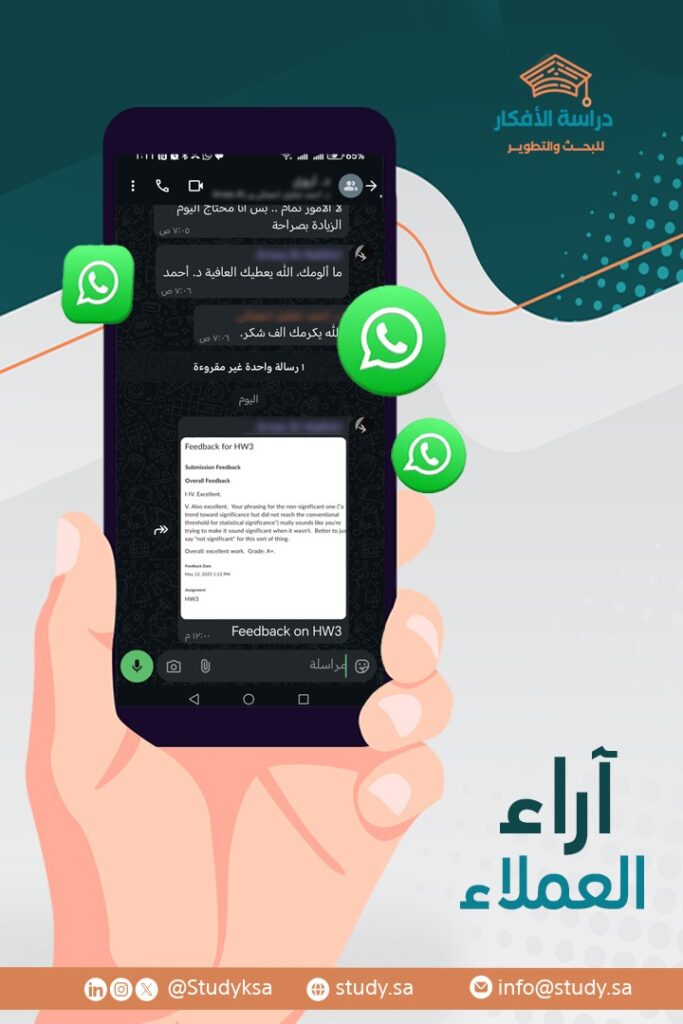
Our Clients’ Opinions

We at “Idea Study for Research and Development” believe that client satisfaction is the best testament to service quality. And because we accompany researchers from the beginning of their research journey until the final approval stage, their trust forms the cornerstone of our success. Here are some of our clients’ impressions:

نفتخر بآرائكم – إنجاز يُقاس برضاكم ثقة العملاء هي أعظم إنجازاتنا – رأي عميل يعكس جودة العمل والاحترافية

✳️ Your opinion always matters — be part of the community of researchers who rely on “Idea Study” to achieve academic excellence. We don’t just provide results, but we give you a deeper understanding of your analysis and peace of mind during the defense stage.

Conclusion

At the end of this guide, it becomes clear that the choice between SPSS and Excel is not just a matter of personal preference, but a research decision influenced by the nature of the study, data volume, and the required level of analysis precision. Excel may be useful for initial statistical tasks, but it does not reach the level of professionalism and accuracy provided by SPSS, especially in Master’s and doctoral research.

For this reason, SPSS is recommended for academic studies that require inferential tests, accurate results, and documentation compatible with the university guidelines. On the other hand, Excel can be a supporting option in the initial data preparation phase or for simple analyses.

✳️ If you are still hesitant, or need professional support in choosing the right tool and analyzing your data, do not hesitate to contact ‘Study Ideas for Research and Development’. We put our academic expertise at your service, and accompany you step by step towards a reliable and accepted scientific research, God willing.

الموقع الأول في المملكة العربية السعودية للخدمات الأكاديمية

The first site
In the Kingdom of Saudi Arabia
For academic services

Comments

Explore Our Services
11111
Professional Jamovi Data Analysis Services for Students & Researchers
icon
Professional Jamovi Data Analysis Services for Students & Researchers
11111
خدمة تحليل البيانات باستخدام برنامج JASP
icon
خدمة تحليل البيانات باستخدام برنامج JASP
11111
خدمة التحليل الإحصائي النوعي
icon
خدمة التحليل الإحصائي النوعي
11111
خدمة التحليل المختلط بمنهجية Q
icon
خدمة التحليل المختلط بمنهجية Q
11111
خدمة التحليل الإحصائي بلغة R
icon
خدمة التحليل الإحصائي بلغة R
11111
خدمة التحليل الإحصائي ببرنامج E-Views
icon
خدمة التحليل الإحصائي ببرنامج E-Views
11111
خدمة التحليل الإحصائي المتقدم بـ AMOS
icon
خدمة التحليل الإحصائي المتقدم بـ AMOS
11111
خدمة تصور البيانات (Data Visualization) وإنشاء تقارير تفاعلية
icon
خدمة تصور البيانات (Data Visualization) وإنشاء تقارير تفاعلية
11111
خدمة تصميم العروض التقديمية للمناقشة
icon
خدمة تصميم العروض التقديمية للمناقشة
11111
خدمة الباحث المشارك (Co-Researcher Service)
icon
خدمة الباحث المشارك (Co-Researcher Service)
11111
خدمة عمل كتاب إلكتروني وفق المعايير الأكاديمية
icon
خدمة عمل كتاب إلكتروني وفق المعايير الأكاديمية
11111
خدمة كتابة ملخص البحث وترجمته للإنجليزية
icon
خدمة كتابة ملخص البحث وترجمته للإنجليزية
11111
خدمة تلخيص الكتب والمراجع العربية والإنجليزية
icon
خدمة تلخيص الكتب والمراجع العربية والإنجليزية
11111
خدمة تصميم البوسترات البحثية الاحترافية
icon
خدمة تصميم البوسترات البحثية الاحترافية
11111
خدمة ترشيح المجلات العلمية المحكمة
icon
خدمة ترشيح المجلات العلمية المحكمة
Get a free consultation from experts
whatsapp